
Sweet terminal for the Mac.
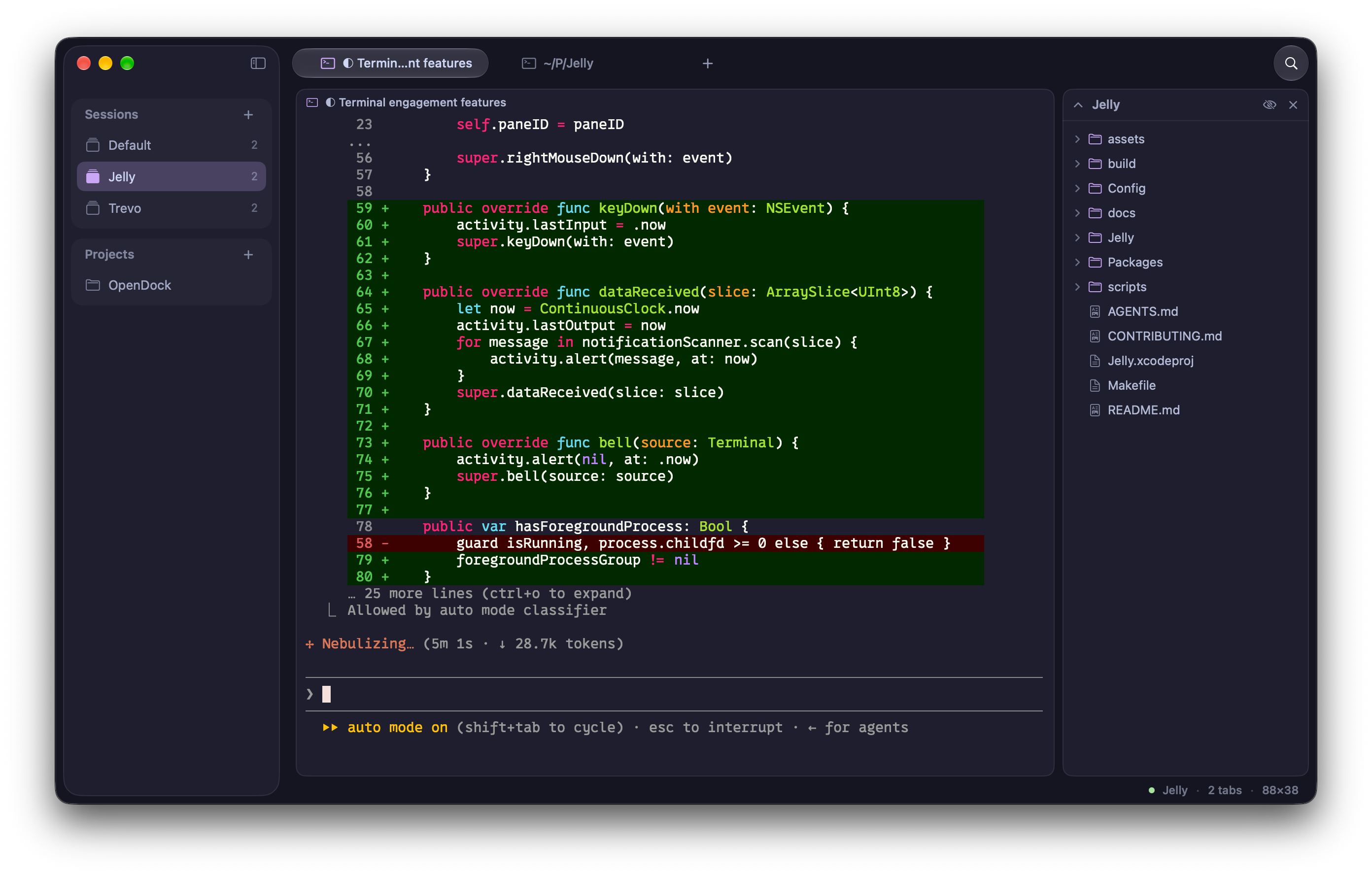
A native macOS terminal that keeps your shells in named sessions of tabs and split panes. GPU-rendered, configured in one TOML file.
Requires macOS 26 or later · Preview
Everything you need, nothing you don't.
Built in Swift for macOS 26, with the fast parts on the GPU and the fiddly parts in a text file.
Sessions
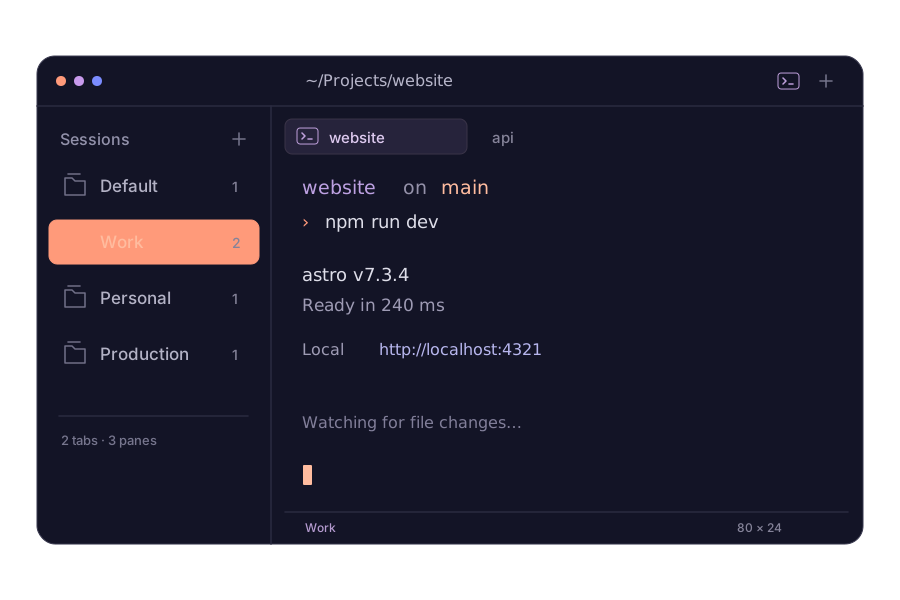
Named workspaces like Work and Production, each with its own tabs and panes. Restored on relaunch.
Split panes
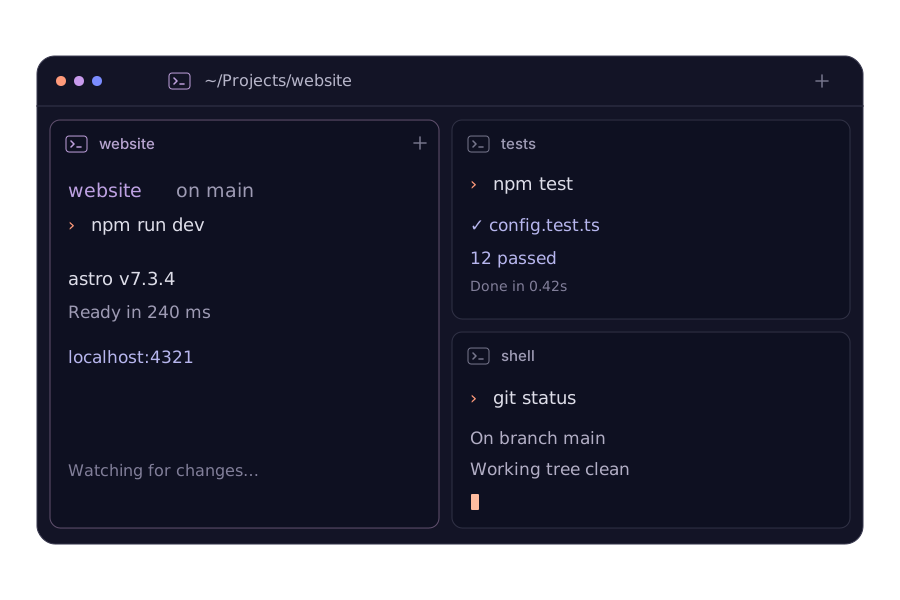
Split right or down as deep as you like. Resize, zoom and move focus from the keyboard.
Metal-rendered
Drawn on the GPU. Idle at 0% CPU, no dropped frames under heavy output.
Plain TOML
Settings, keybinds and themes in one jelly.toml that reloads when you save.
Config can't break it
A bad value falls back to its default and Jelly tells you which line.
Quick terminal
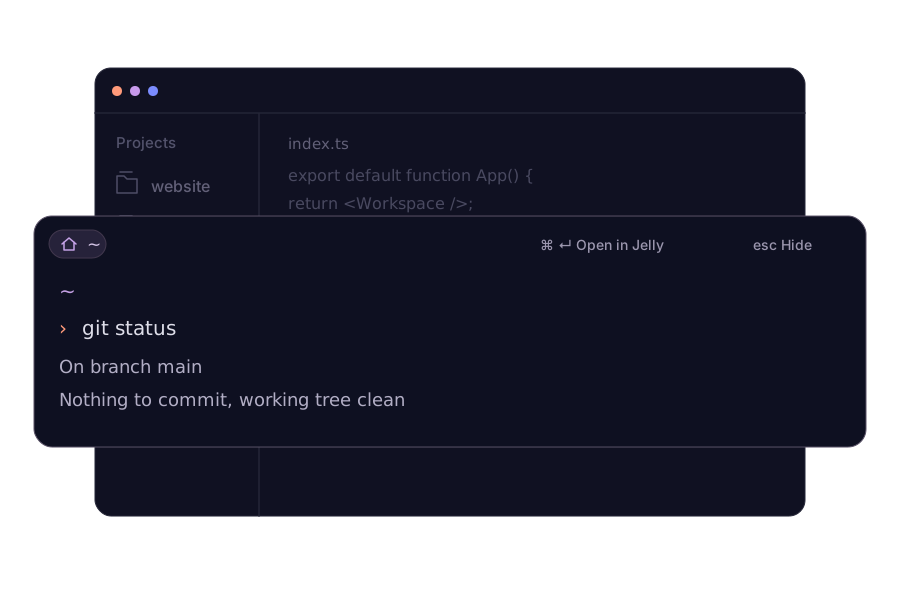
⌃Space from any app opens your shell in a floating panel. ⌘↩ moves it into a full tab.
Your shells, sorted.
A home for every project. A shell for every moment. Explore how Jelly fits your flow.
Sessions
A little space for every context.
Keep work, personal projects, and production in their own sessions. Each remembers its tabs and split panes, so switching context feels like picking up where you left off.
Quick Terminal
A quick thought. A quick terminal.
Bring your shell over any app with one shortcut. Run a command, then press Esc to tuck it away. Need more room? Move it into a Jelly tab with everything still running.
Split Panes
See the whole thing, side by side.
Your server, tests, and shell can share one tab. Split right or down, drag to resize, and give each task just the room it needs.